Avalie candidatos com +200 testes psicométricos e técnicos online
Descarte até 80% dos candidatos não aptos antes da primeira entrevista.



Empresas que confiam na Evalart para avaliar talentos







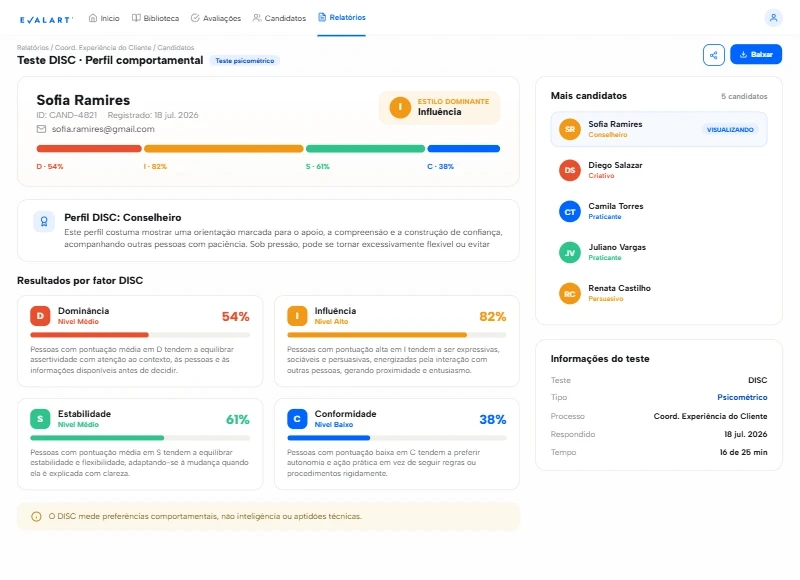
Testes psicométricos, técnicos e de aptidão
Combine os testes que sua vaga precisa, em um só lugar.
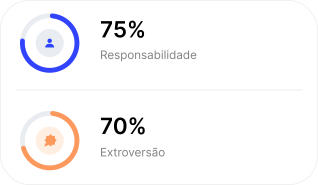



Como funciona


Avaliações
Validado por empresas como a sua
Mais de 60 avaliações verificadas no G2, Capterra e GetApp.
0
0
Clientes em múltiplos setores
0+
0+
Candidatos avaliados
0.0%
0.0%
De taxa de conclusão em nossos testes
0
0
Países usam a Evalart
Preços
Pague apenas por cada candidato avaliado
Planos a partir de $32 USD por mês. Sem permanência mínima.
Testes ilimitados por candidato
Avalie tudo o que precisar, sem custo adicional.
Créditos reembolsáveis
Se o candidato não iniciou o teste, você pode reutilizar esses créditos.
Mude quando quiser
Mude de plano ou adicione créditos quando precisar.
FAQs
Perguntas frequentes sobre a Evalart
Tudo o que você precisa saber antes de começar. Se tiver mais dúvidas, não hesite em entrar em contato conosco.
A Evalart tem um teste gratuito?
Sim, e você não precisa de cartão de crédito. O plano gratuito permite avaliar até 5 candidatos para conhecer a plataforma antes de escolher um plano pago.
Como funciona o preço? Pago por teste ou por candidato?
Você paga por candidato avaliado, não pela quantidade de testes. Um candidato pode fazer todos os testes que você precisar dentro do mesmo processo, e isso consome apenas um crédito.
Você pode escolher entre assinatura mensal ou um pacote de créditos fixos, conforme o que for melhor para você.
O que acontece se um candidato não chegar a fazer o teste?
Se o candidato não iniciou nenhum teste, você recupera esses créditos. Você nunca vai pagar por convites que não foram usados.
Que tipos de testes o catálogo inclui?
Nosso catálogo inclui mais de 500 testes, entre programação (com execução real de código), psicometria (DISC, Big Five), aptidão e inteligência, conhecimentos técnicos e de mercado (bancário, TI, vendas), e idiomas. Você também pode criar seus próprios testes.
Como a Evalart evita que um candidato cole?
A Evalart monitora cada teste em tempo real. Câmera, identidade e comportamento suspeito ficam registrados automaticamente, e o sistema sinaliza os casos de risco sem desqualificar ninguém por conta própria: a decisão final sempre fica nas mãos do recrutador.