Fraud prevention
Evalart AI
Online hiring tests, with fraud prevention built in
Evalart snaps webcam photos during the test, analyzes them with AI and captures the candidate’s screen. You then get the risk signals backed by evidence, so the final call is yours.
How it works
An anti-cheating check that works for you
Before the test begins, candidates see what will be recorded and give their consent. From then on, Evalart handles the online proctoring: it monitors the test and collects the evidence for you.
Verification photo and webcam
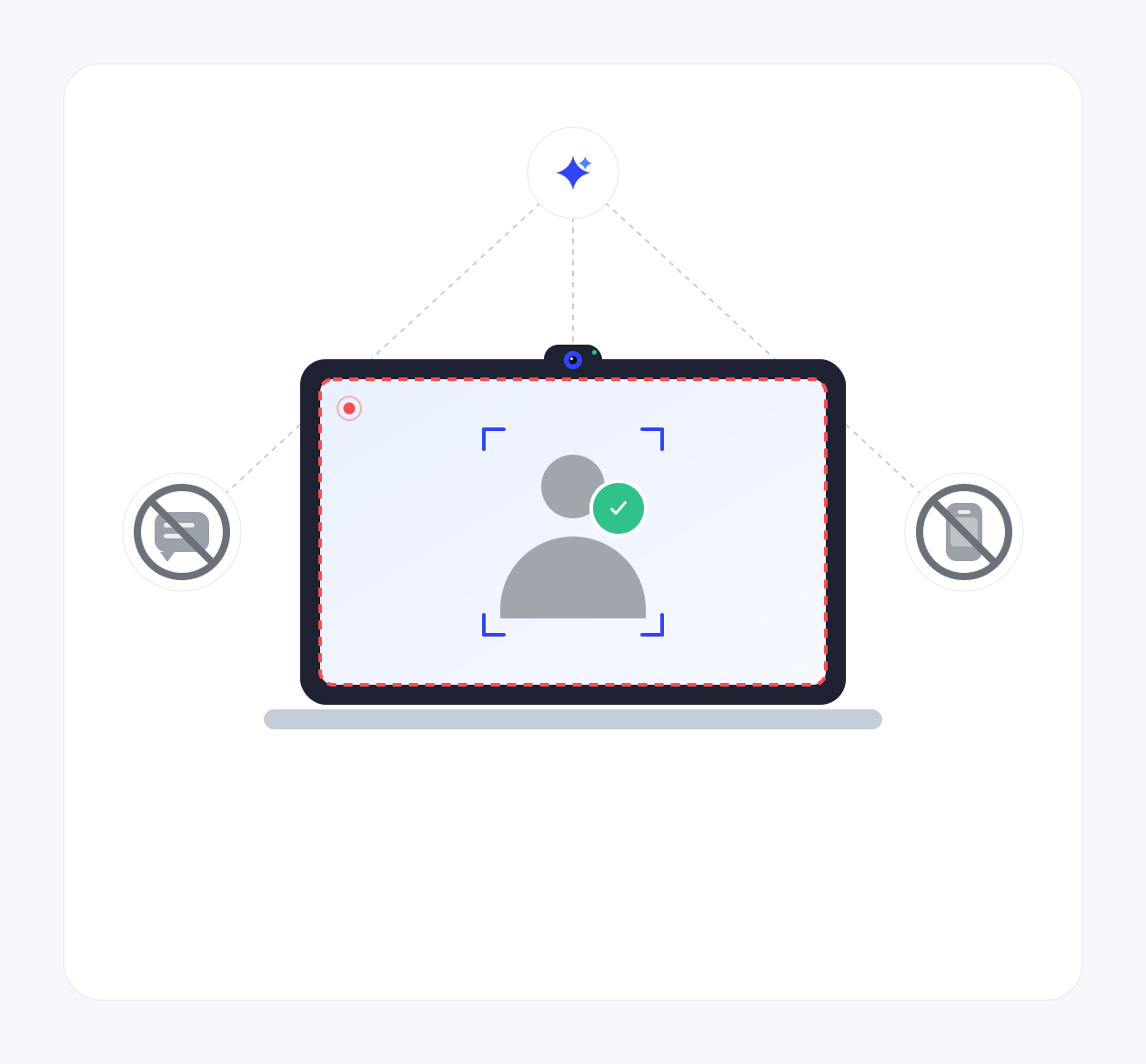
Before the test, candidates take a verification photo, and during the test the webcam snaps photos at intervals. The AI then compares them against the verification photo and checks whether someone else appears, whether the candidate is missing or whether a phone is in view.
Risk level and evidence
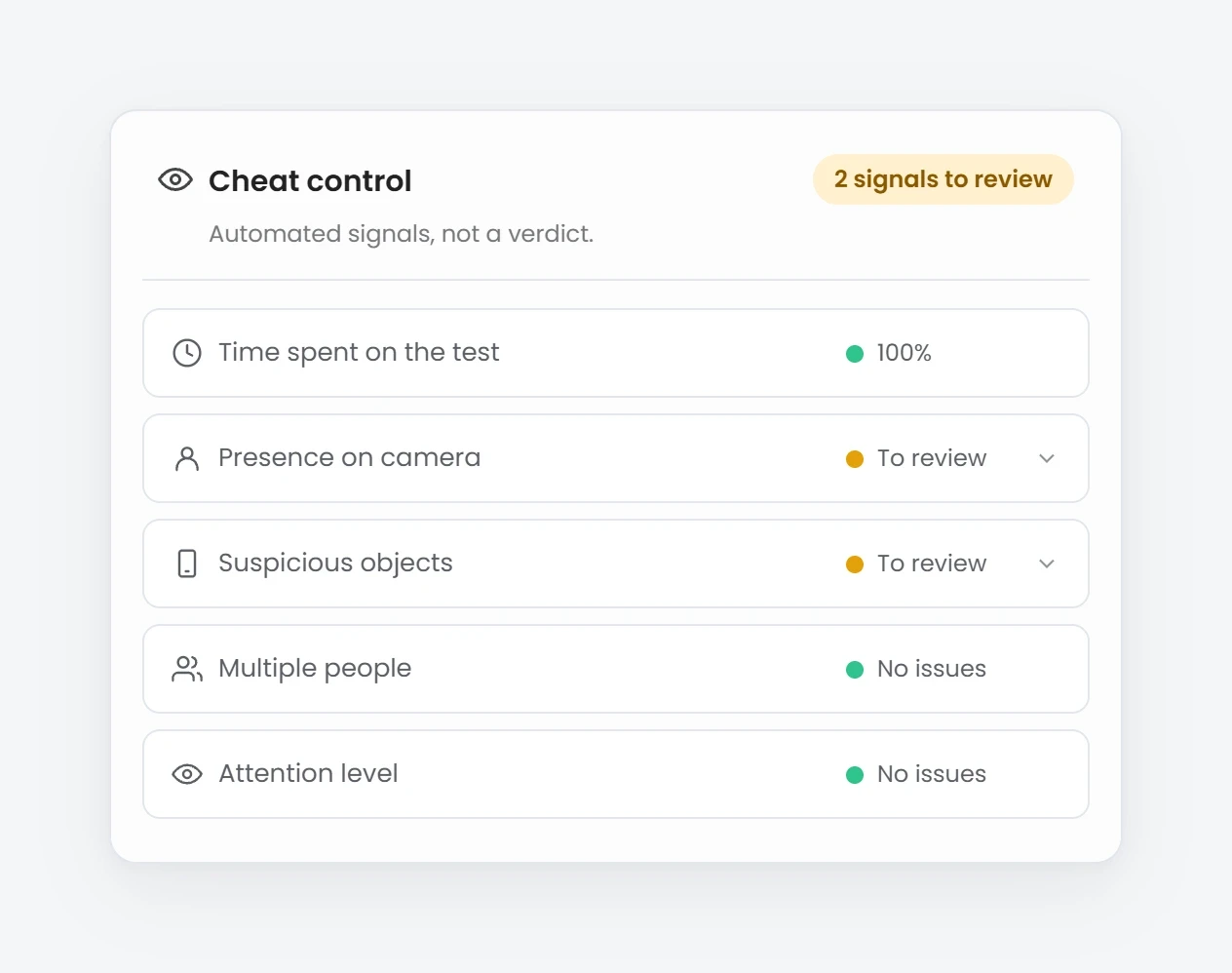
Every candidate gets a fraud risk level. The report shows which signals were triggered, backed by photos and screenshots, and you can clear the risk if everything checks out.
Risk signals
Evalart AI
What Evalart detects during the test
Evalart AI, our anti-fraud engine, analyzes every test and flags these signals. They aren’t proof of cheating: they point to what’s worth reviewing. The decision is always yours.
Time on screen
Evalart tracks the share of time the candidate keeps the test in the foreground, so you can see at a glance how focused they were.
Absent or distracted candidate
The candidate isn’t in the frame, the camera is covered or dark, or their head is turned away in most photos.
Devices in view
A phone, tablet, laptop or camera shows up in the photos.
Possible impersonation
Photos taken during the test don’t match the verification photo.
Another person on camera
More than one face appears in several webcam photos.
Copied code
Coding answers that closely match another candidate’s in your account, with both answers shown for comparison.
Prevention
Rules that make cheating harder from the start
Detection isn’t all: Evalart also puts barriers in place to make cheating harder.
Full-screen mode
The test runs in full screen, and if candidates leave it, they can’t continue until they go back.
No copying or pasting
Copy, cut, paste and right-click are blocked inside the test.
Timer that never stops
The timer keeps running even if the candidate closes the test.
Random questions
Questions can be drawn at random from a larger pool, so candidates don’t all get the same ones.
Frequently asked questions
Common questions about the anti-cheating check
Does Evalart automatically disqualify a candidate?
No. A risk level means the test deserves a review, not that the candidate cheated. You see the evidence and decide.
Does the candidate know they’re being monitored?
Yes. Before they start, candidates see a screen explaining what will be recorded and must give their consent. Without it, they can’t take the test.
How does Evalart’s anti-fraud AI work?
Evalart AI analyzes every test for risk signals. It compares the webcam photos with the verification photo, detects additional people, an absent candidate and devices, and combines everything into a risk level that you review.
Are the photos analyzed in real time?
No. Photos are taken during the test, and the AI analysis runs once the test ends. Until then, the report shows an “Analyzing…” status.
Does it work if candidates take the test on a phone?
Yes. The camera works on phones, tablets and computers, as long as the browser allows camera access.
Want to decide based on results you can trust?
Set up your first test with the anti-cheating check. It’s free to start.